 Dealer
Dealer OS Websites
Your website.
Your rules.
Build your brand. Run your offers.
See what gets shoppers interested.
Your dealership.
Down to the last detail.
Start with a template. Make every first impression your own.
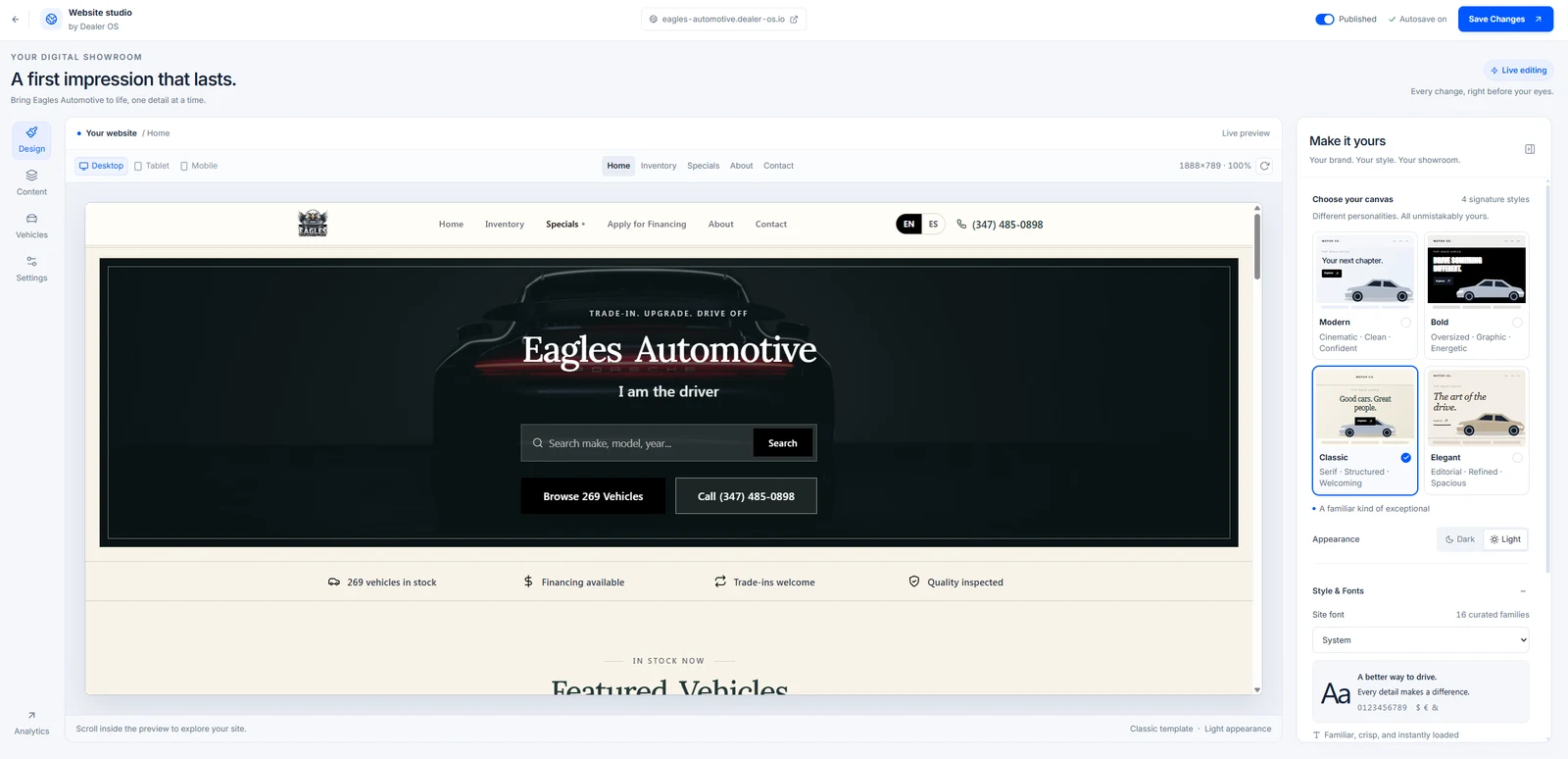
- Light & dark styles
- Scheduled banners
- Vehicle discounts
- SEO title & description
Attention is a signal.
Put it to work.
See the cars shoppers view and the inquiries they send.
Example report30 days · Fictional data
| Vehicle | Views | Inquiries |
|---|---|---|
| Toyota RAV4 | 787 | 20 |
| BMW 430i | 634 | 15 |
| Ford F-150 | 481 | 10 |
FROM NUMBERS TO NEXT STEPSThe RAV4 leads in views and inquiries. Use listing interest to prioritize your follow-up.
Change the offer. Set the dates.
Launch a banner or a vehicle discount from the same place you manage your inventory.
Did your promotion get attention?
Review daily traffic, Specials page views, and inquiries around your promotion dates.
The interest comes with the lead.
Consented browsing can bring viewed vehicles and shopper activity into your CRM.
Illustrative analytics, not customer results. Reports reflect consented visits; clicks and inquiries are not completed sales.
Understand your website visitors
Know which cars get attention.
And what shoppers do next.
See the vehicles people look at, the photos they explore, and the inquiries they send. All in the same place you manage your dealership.
EAGLES AUTOMOTIVE
Your website, by the numbers.
Choose a date range. Explore a day. Take a closer look at a car.
Traffic over time
A closer look at each day
Where visits come from
Find the channels people use
Which cars catch their eye?
Select a vehicle to see its activity
A CLOSER LOOK
2021 Toyota RAV4
What shoppers do
Shoppers spend the most time on this listing. Check its inquiries first, then use the vehicle details to make your follow-up more helpful.
Try the controls. This demo uses fictional data; it does not show customer results.
See what gets noticed.
Compare listing views and photo activity to understand which cars attract attention.
Make the next call useful.
When a shopper contacts you with analytics consent, their viewed cars can add context to the lead.
Know what to review.
Use website interest alongside inventory age and costs to decide which listings need another look.
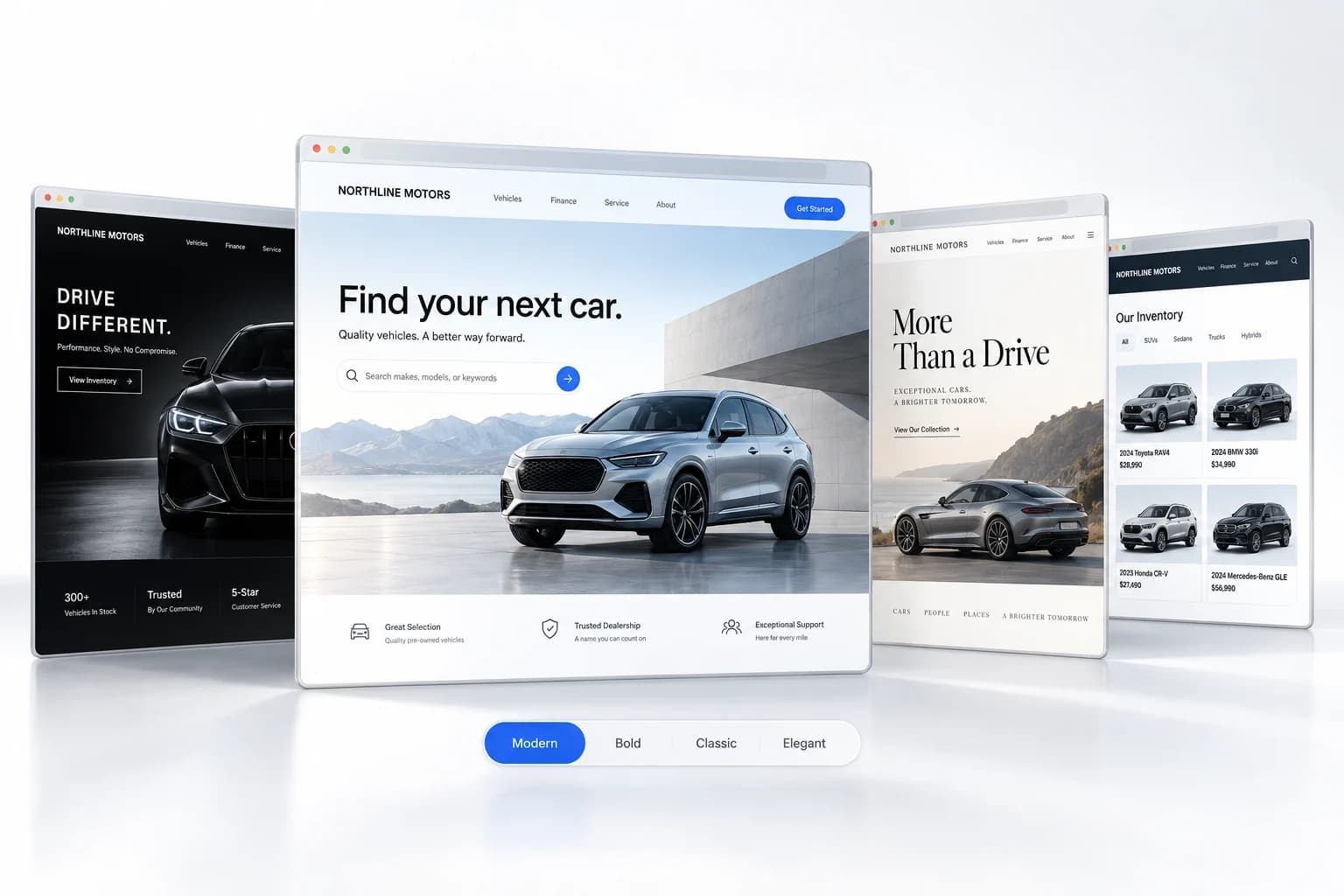
01Pick your template
A great first impression.
Already built in.
Start with Modern, Bold, Classic, or Elegant. Pick a light or dark look. Make it feel like your dealership.
4 templates. Your starting point.
02Make it your own
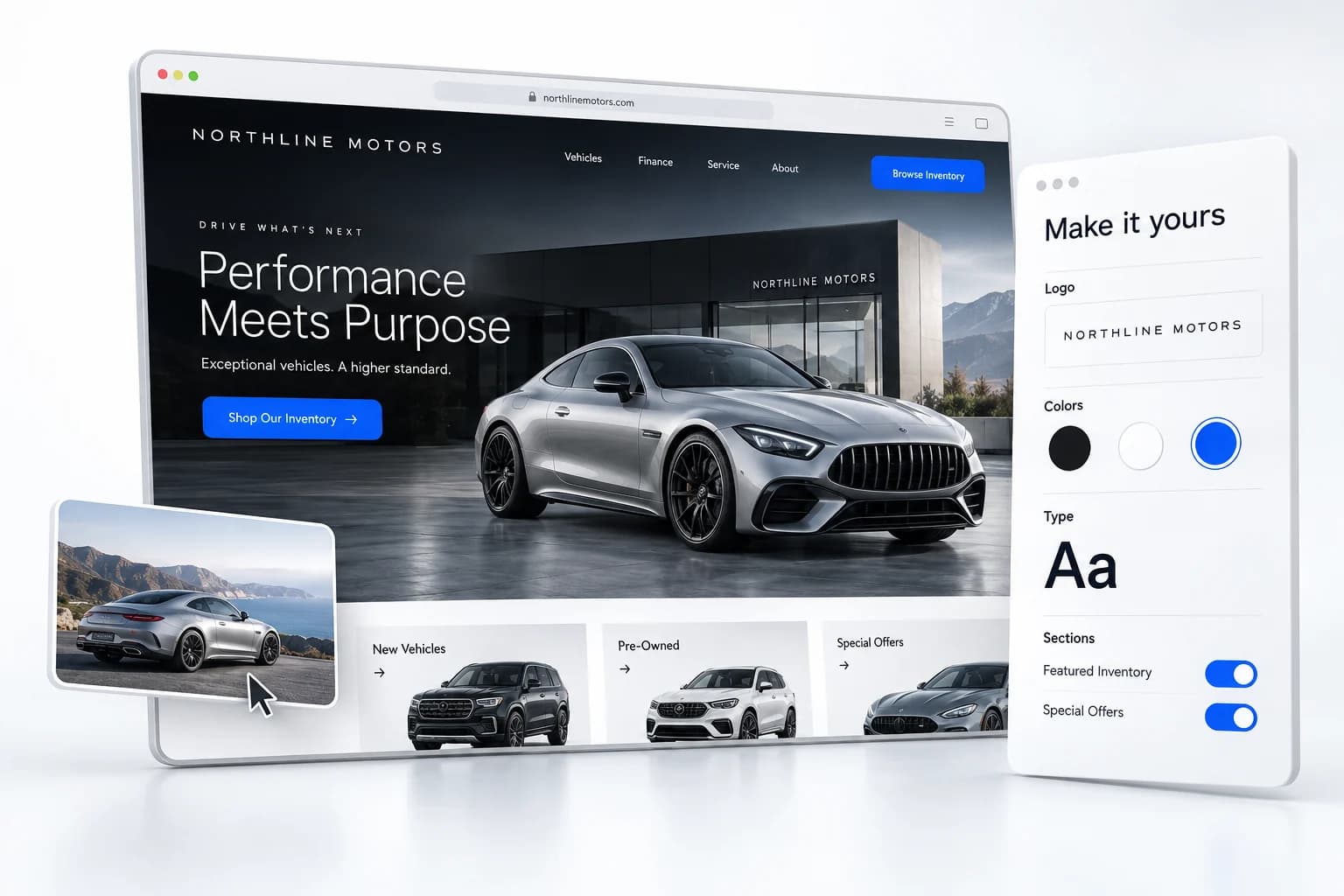
Your name.
Your kind of website.
Change your logo, colors, fonts, photos, and video. Show or hide sections. Add your own content and put it in the order you want.
Manage the details from your website editor.
03Promotion banners
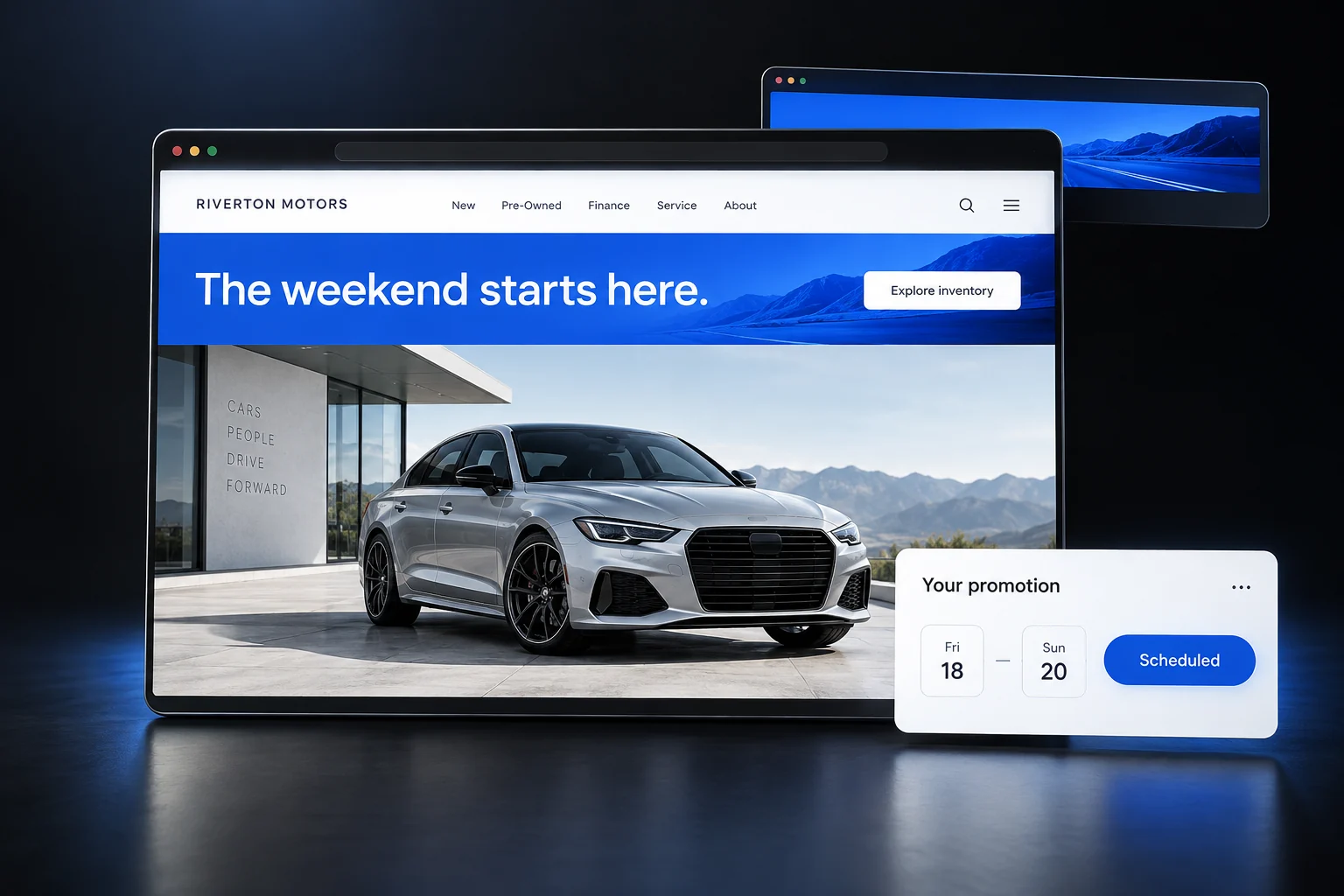
Big weekend?
Make it the headline.
Create an announcement bar or a full hero banner. Use a seasonal design, your own image, or a video. Choose when it starts and ends.
Your message. Your dates. Your call to action.
04Vehicle discounts
The right offer.
On the right car.
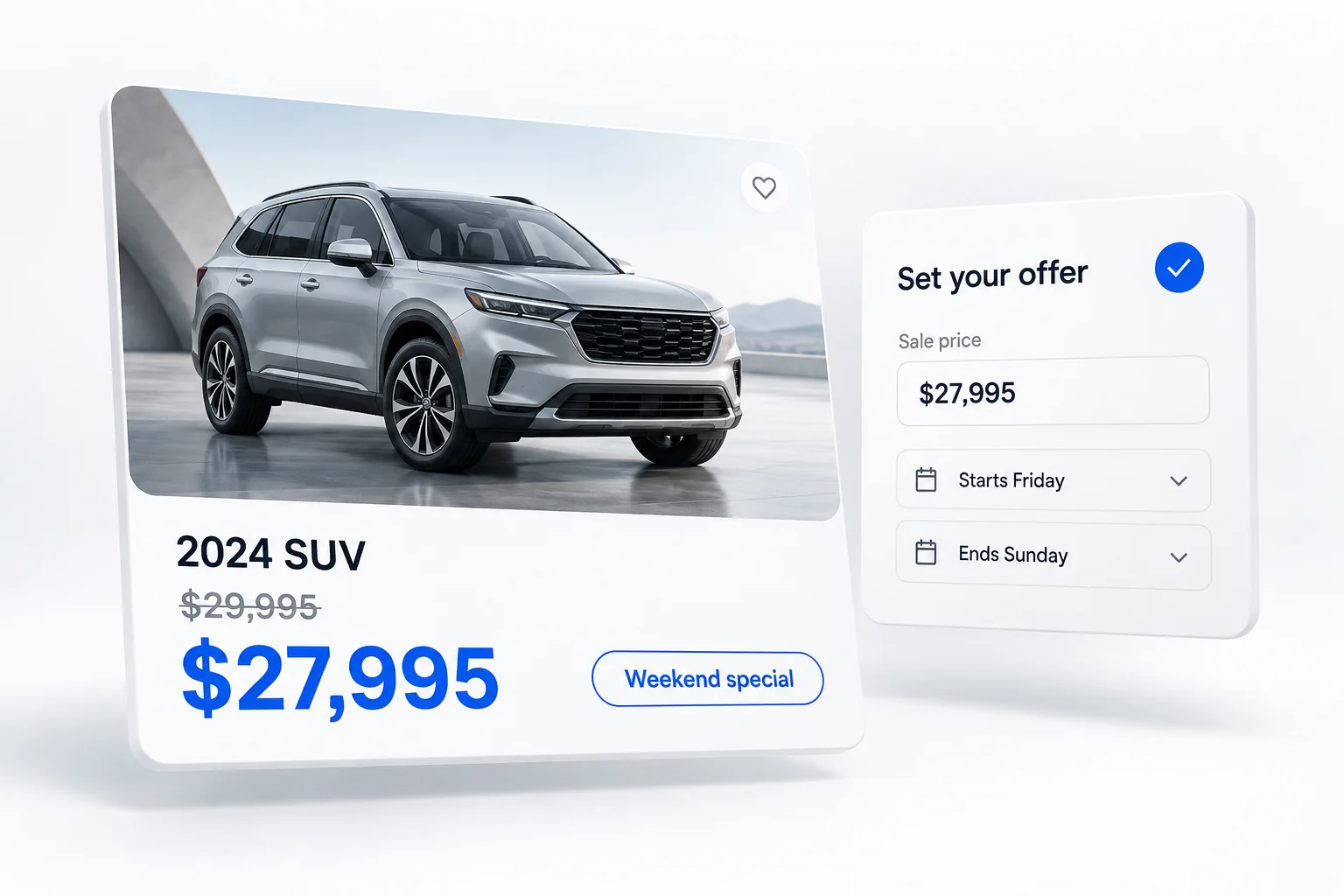
Set a sale price, add a special-offer badge, and schedule the dates. Shoppers see the original price and the offer together.
Run a special on the vehicles you choose.
Connected to the rest of your dealership
The website is yours.
The work stays in one place.
Manage inventory in Dealer OS. See which cars shoppers view.
Follow up on their inquiries in your CRM.
SEARCH VISIBILITY
Make your first impression
before the first click.
Set your SEO title and description in the website editor. Then use traffic sources to see how many tracked visits arrive from search.
Your dealership | Find your next car
Explore our latest vehicles, current specials, and financing options. Find a car you love and get in touch with our team.
More details
What can I change?
Choose a template and appearance, set colors and fonts, upload photos or video, customize buttons, and edit your about content. Show or hide built-in homepage sections and add or reorder your own text, image, and button sections. Preview and manage your website from Dealer OS.
Can I schedule promotions?
Yes. Website banners and individual vehicle promotions support start and end dates. Choose a seasonal banner or your own image or video, set its message and link, and manage it from your website editor.
Is a website included in my plan?
Dealer OS Sites is included with Complete and available separately from $99/month. Compare plans and add-ons.
What can I learn about visitors?
See listing views, active time, traffic sources, and submitted inquiries. These help you understand interest; they are not a count of completed sales.
See it with your dealership.
Try it freePrefer a walkthrough? Pick a time
The booking calendar loads here when you reach this section.